
A restaurant website has one job: make a hungry person book a table or place an order in under 30 seconds on their phone. Everything else is decoration.
This guide to restaurant website design is for Indian restaurant, cafe and cloud kitchen owners. You will learn what your mobile menu must show, how booking and ordering should flow, which trust signals bring walk-ins, and why your Google Business Profile matters as much as your homepage.
We are DeskBees, a web agency in Secunderabad, Hyderabad. We build restaurant websites that work with POS systems, WhatsApp ordering and local SEO. No tool tutorials. Just a clear brief you can hand to your developer.

How Diners Decide on Mobile
Picture a couple in Hyderabad at 7 pm. They are hungry. They search “dinner near me” or “biryani Hyderabad”. They see three results and tap the first. The site loads slowly. The menu is a PDF. There are no prices and no Book button. They go back, tap the second. The menu loads fast, prices are visible and a Book Table button sits at the bottom of the screen. They book.
This happens thousands of times a day. Your website is not a brochure. It is your digital host. It must answer seven questions:
| # | The diner asks | What your site shows |
|---|---|---|
| 1 | What do you serve? | Menu with prices, visible in two taps |
| 2 | How much? | Prices next to every dish, not “contact for price” |
| 3 | Is it good? | Real food photos, Google reviews, hygiene rating |
| 4 | Can I get a table? | A Book button that works, or live availability |
| 5 | Can I order home? | Order Online button with delivery radius |
| 6 | Where are you? | Address, map, landmark, parking, metro |
| 7 | When are you open? | Today’s hours, including late-night or breakfast |
If your site fails any of these, you are paying for ads that send traffic to a closed door.
Verdict: Your menu is your sales page. Your Book button is your cash register. Treat them with that respect.
Menu That Sells: Mobile First, Prices Always
Your menu is the most visited page. Design it for a thumb on a cracked screen at 8 pm.
What a good menu page has:
Technical rules for menus:
- No PDF menus. PDFs are unreadable on phones, invisible to Google and slow to update.
- Structured HTML menu with schema.org MenuItem, so dishes can appear in search results.
- Prices in INR with a note: “Prices include GST”.
- Out-of-stock dishes greyed out, not deleted. Update from the POS or WhatsApp daily.
| Element | Required | Recommended |
|---|---|---|
| Name | Clear, searchable | Regional name in brackets |
| Description | One line, key ingredients | Cooking method, portion size |
| Price | Always visible | Half and full portion toggle |
| Dietary | Veg or non-veg badge | Allergen icons, Jain, vegan |
| Photo | For top sellers | All dishes, consistent style |
| Add to order | One tap, quantity stepper | Customisation pop-up |
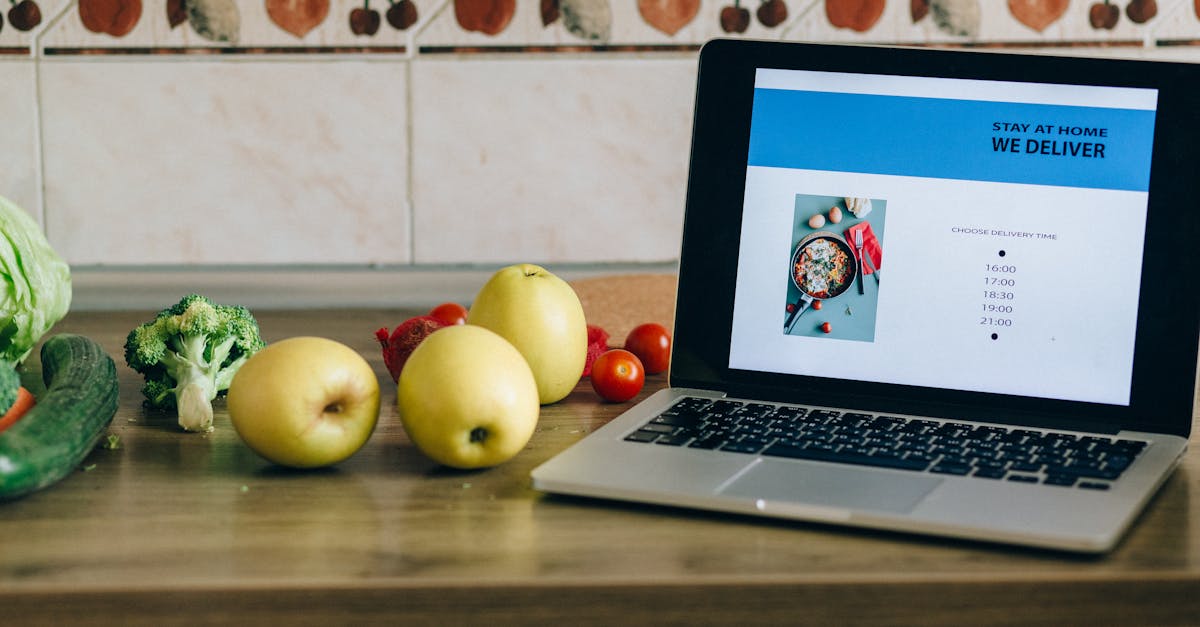
Book Table and Order Online: Two Buttons, One Sticky Bar
Diners do not scroll to find actions. Put both primary actions in a sticky bottom bar on mobile:
Do not use aggregator links as your only Order button. Build your own ordering with WooCommerce, a custom build or a WhatsApp catalogue, and keep the margin. List aggregator links as “Also on Zomato and Swiggy” below your own button.
How WhatsApp ordering works for small restaurants:
This works for cloud kitchens and small restaurants without POS integration. The cost is close to zero, and conversion is high because WhatsApp is already where your diners are.
Trust Signals That Fill Tables
Indian diners trust other diners, not marketing copy. Show:
- Google reviews: the latest five reviews with photos, star rating and a link to write one.
- Real food photos: not stock. Shoot your top 15 dishes in natural light and refresh them seasonally.
- Hygiene rating: if you have an FSSAI rating or a delivery-platform hygiene badge, show it.
- Crowd photos: a busy dining room, happy families, birthday set-ups. Social proof.
- Owner or chef face: a short introduction builds a personal connection.
- Press and awards: only current ones, with the year and the publication.
Google Business Profile: Your Real Homepage
For restaurants, the Google Business Profile (GBP) is often seen before the website. The two must match exactly:
| Element | Website | GBP | Action |
|---|---|---|---|
| Name | Exact match | Exact match | No keywords in the name |
| Address | Full, with landmark | Same | Pin the location on the map |
| Phone | Clickable, WhatsApp linked | Primary and mobile | Same number |
| Hours | Today’s hours highlighted | Updated weekly | Match exactly |
| Menu | Full, with prices | Menu tab populated | Sync or link |
| Photos | High-res, optimised | Regular uploads | Add 2 a week |
| Reviews | Widget on site | Reply to all | Same tone |
Post weekly on GBP: today’s special, a festival menu, a new dish, weekend brunch. Use photos of the actual dish that day. Nearby searches are where this matters most.
Local SEO for Restaurants: Win Your Neighbourhood
You do not need to rank for “best restaurant India”. You need to rank for “best biryani Karkhana” or “family dinner Banjara Hills”.
Schema for restaurants covers Restaurant, Menu, MenuItem, Review and OpeningHoursSpecification. This can show your dishes, hours and rating directly in search results.
Speed and Mobile: The Silent Revenue Killer
A hungry person on 4G has no patience. Your site must:
- Load the menu in under 2 seconds on a Rs 10,000 phone.
- Keep the hero image under 100 KB in WebP. No video background. No slider.
- Inline critical CSS. Use a system font stack or one variable font.
- Avoid chat widgets, popups and third-party trackers that block rendering.
- Serve all assets through a CDN, and host close to your diners.
Test weekly on a real budget phone on Jio or Airtel 4G. Not on office WiFi. Not on desktop developer tools.
Frequently Asked Questions
Both. Use Zomato or Swiggy for discovery. Build your own ordering, through your website and WhatsApp, for repeat orders and margin. Regulars should order direct. Promote your direct link on bills, packaging and tables.
Prices immediately when they change. Dishes daily for specials and weekly for availability. Photos quarterly for the seasonal menu. A wrong price or a missing dish loses more than the update effort.
If you take reservations, yes. A simple form with date, time, party size, name and phone, plus WhatsApp confirmation, is enough for most. Connect it to your POS if you serve 50 or more covers and turn tables several times a night. For weekend no-shows, a small UPI deposit can help.
Your top 15 dishes, shot in your own kitchen. The dining room at a busy hour, the chef at work, the entrance and signage, parking and any private dining area. No stock photos. Update dish photos when the presentation changes.
Ready to Fill More Tables?
Good restaurant website design is simple: a menu with prices, real photos, sticky Book and Order buttons, a fast mobile load and a Google Business Profile that matches the site. That is the full stack.
If you are opening a new outlet, relaunching, or tired of losing diners to competitors with better sites, WhatsApp us your cuisine, outlet count and current website. Open WhatsApp
We will send a page plan, menu structure, booking flow and quote. Free download with this guide: Restaurant Website Launch Checklist. It lists every page, photo, menu field and integration you need before go-live.
Where to go next
For the enquiry side, see WhatsApp ordering and enquiries. The Google Business Profile playbook covers the map listing, and the 360 tour guide explains the walkthrough.
Written by Mustafa Zakir Hussain, CEO. Reviewed by Ali Shabbir, CTO for technical accuracy.